 AIU Home


FAQ
FAQ(English)
How do I make an ILL borrowing request?
1. First, enter information on the materials you are looking for.
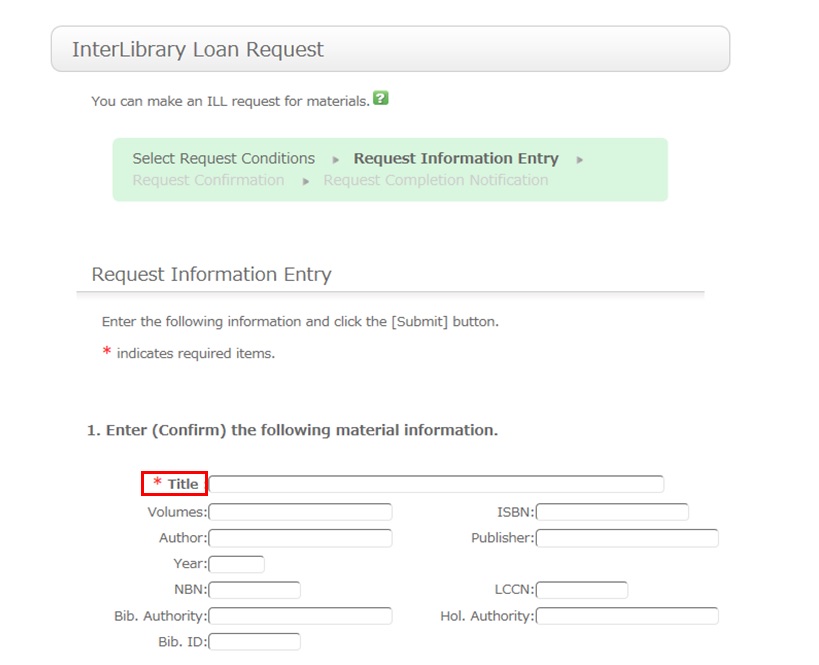
To be certain about obtaining those materials, enter as much detailed information as you can.
In particular, if you found them in a database or other such system, write the name of this system in the bibliography authority.
* Bold characters indicate required fields.
2. Next, enter your own information in the client information fields.
Note that if your contact information has an error, the materials cannot be promptly handed to you.
So be sure to enter the correct contact information for getting in touch with you.
3. Next, enter information about your request, information about the payment method, and remarks.
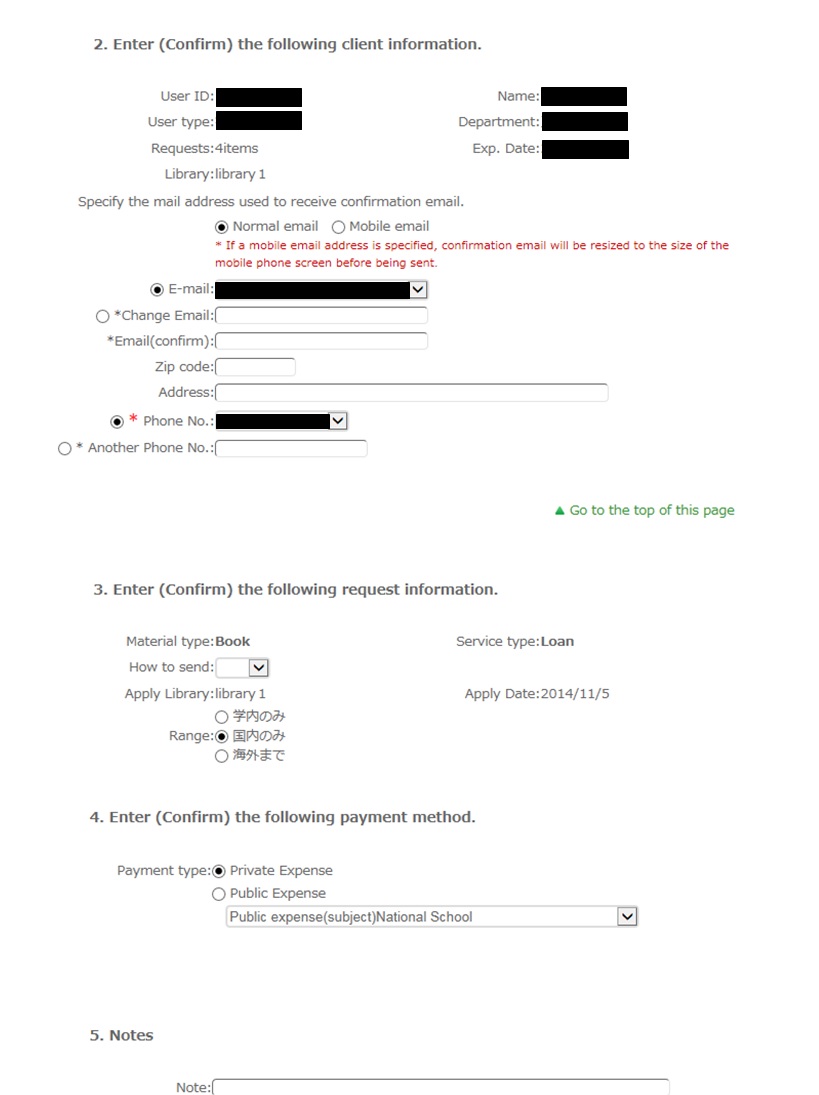
For the payment method, you can select private expense or public expense.
To apply for payment at public expense, you must have a public expense budget.
Once you have entered the above details, click the [Submit] button, and confirm the details on the confirmation screen.
When there are no problems, click the [OK] button to complete the procedure.
How do I cancel a submitted copy request (ILL copy request)?
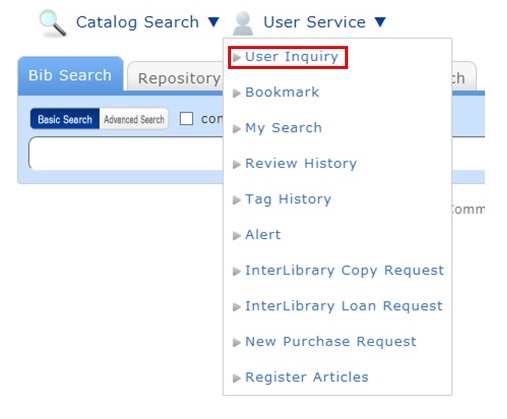
You can confirm your loaned out materials and various requested materials on the user inquiry screen.
Select "Go to Copy Request List" in the information relating to copy requests, among those requests.
As a result, you can check a list of the copy requests that are current requests.
If you want to cancel the request for a material in this list, place a check mark beside the material and click the [Cancel Request] button.
How do I cancel a submitted borrowing request (ILL borrowing request)?
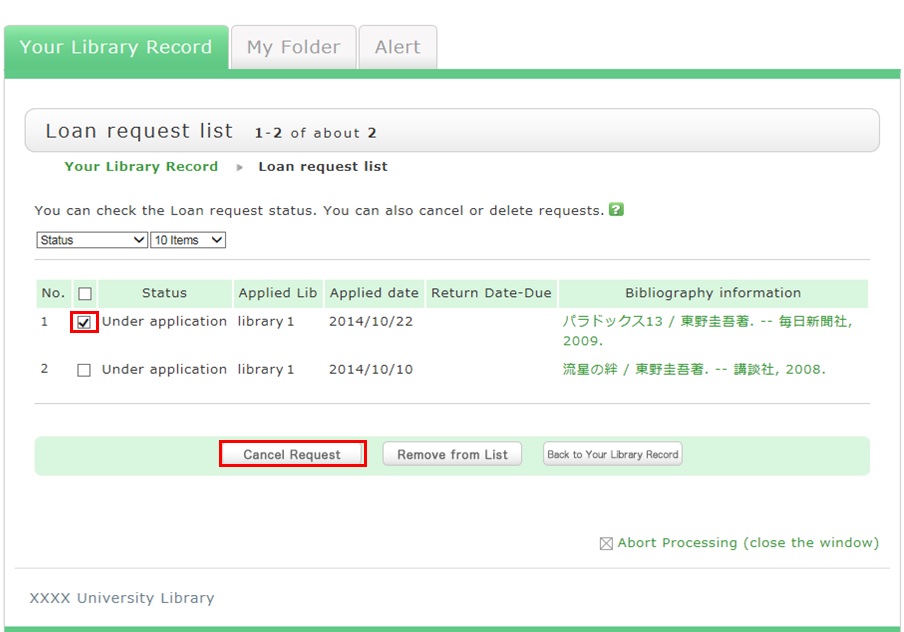
You can confirm your loaned out materials and various requested materials on the user inquiry screen.
Select "Go to ILL Request List" in the information relating to borrowing requests, among those requests.
As a result, you can check a list of the borrowing requests that are current requests.
If you want cancel the request for a material in this list, place a check mark beside the material and click the [Cancel Request] button.
What kind of user services are available?
Category:
5.1. Personal Services
The user services offered are broadly divided into the following three functions.
1. My Library Record
Use this function to browse your current borrowing status, apply for an extension of the borrowing period, and change data such as personal information.
2. My Folder
This function is used to save search conditions, save search results, and browse the history.
3. Alert
This function notifies you of the arrival of new books and serials at the library.
I can't log in to Library website.
Category:
5.1. Personal Services
Opening Hours
| Sun | Mon | Tue | Wed | Thu | Fri | Sat |
29 | 30 | 31 | 1 | 2 | 3 | 4 |
5 | 6 | 7 | 8 | 9 | 10 | 11 |
12 | 13 | 14 | 15 | 16 | 17 | 18 |
19 | 20 | 21 | 22 | 23 | 24 | 25 |
26 | 27 | 28 | 29 | 30 | 1 | 2 |


Access from Cellular Phone