 AIU Home


FAQ
How do I import book information from [AIU Catalog] to RefWorks?
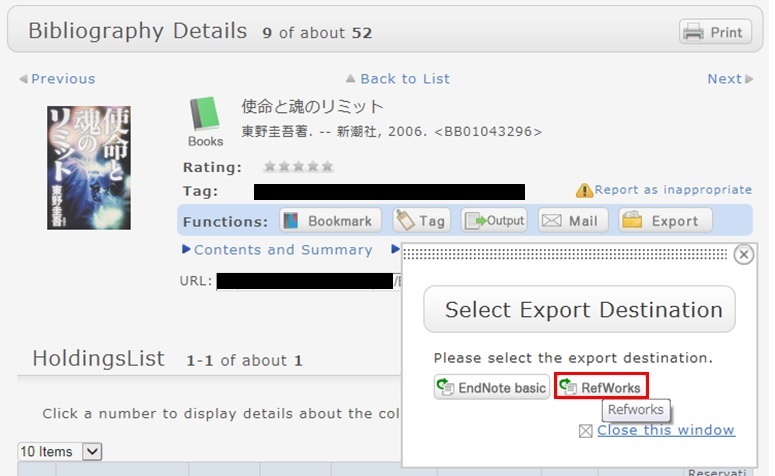
- You can import book information from OPAC to RefWorks from the following screen.
- You can import book information directly (direct import) to RefWorks.
- Register as a new user only the first time.
- Click "Book Management" on the bibliography search result list screen or bibliography details screen.
(The bibliography to be imported must be selected on the bibliography search result list screen.) - The "Select Export Destination" pop-up appears. Select "RefWorks."
- The selected bibliography is imported to RefWorks. (If you have not logged in yet, the login screen appears. In that case, enter your login name and password.)
Reference:
RefWorks (SUNMEDIA)
Opening Hours
| Sun | Mon | Tue | Wed | Thu | Fri | Sat |
29 | 30 | 31 | 1 | 2 | 3 | 4 |
5 | 6 | 7 | 8 | 9 | 10 | 11 |
12 | 13 | 14 | 15 | 16 | 17 | 18 |
19 | 20 | 21 | 22 | 23 | 24 | 25 |
26 | 27 | 28 | 29 | 30 | 1 | 2 |


Access from Cellular Phone