 国際教養大学公式サイト


FAQ
What should I do if the materials found with OPAC are already loaned out?
1. Click the [Reserve] button in "Holdings List" on the bibliography details screen.
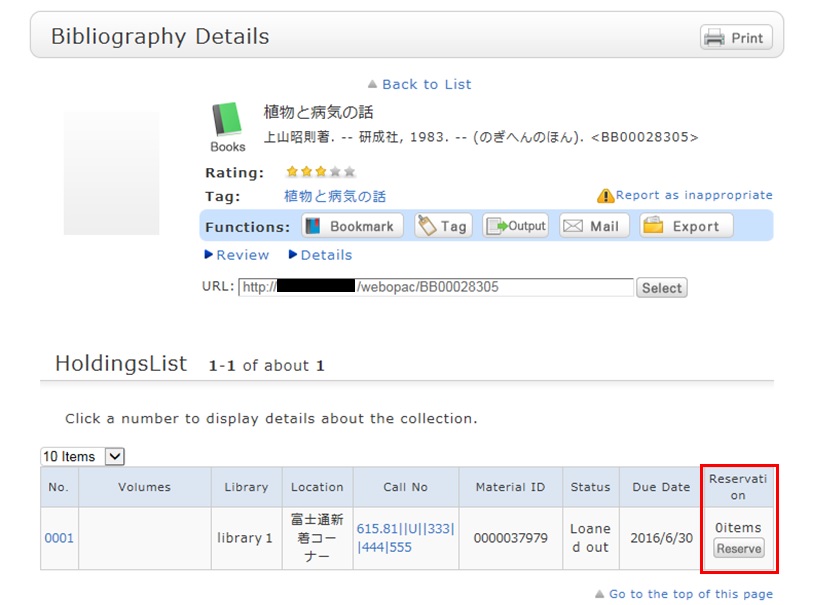
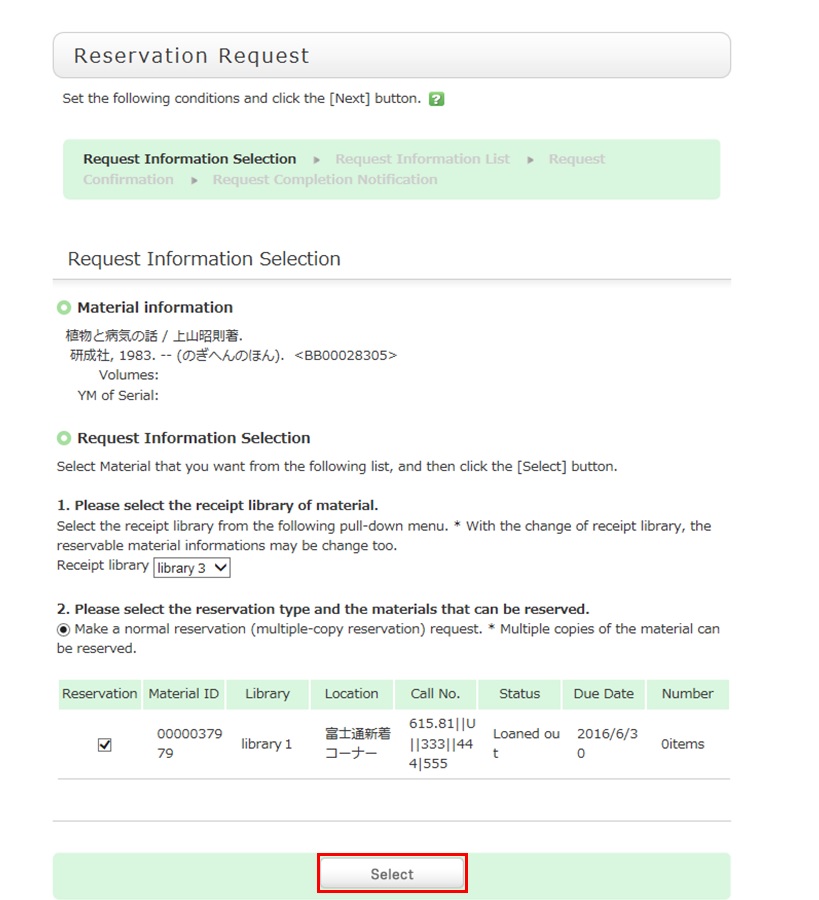
2. Select the request conditions, and click [Select] on the Select Request Conditions screen.
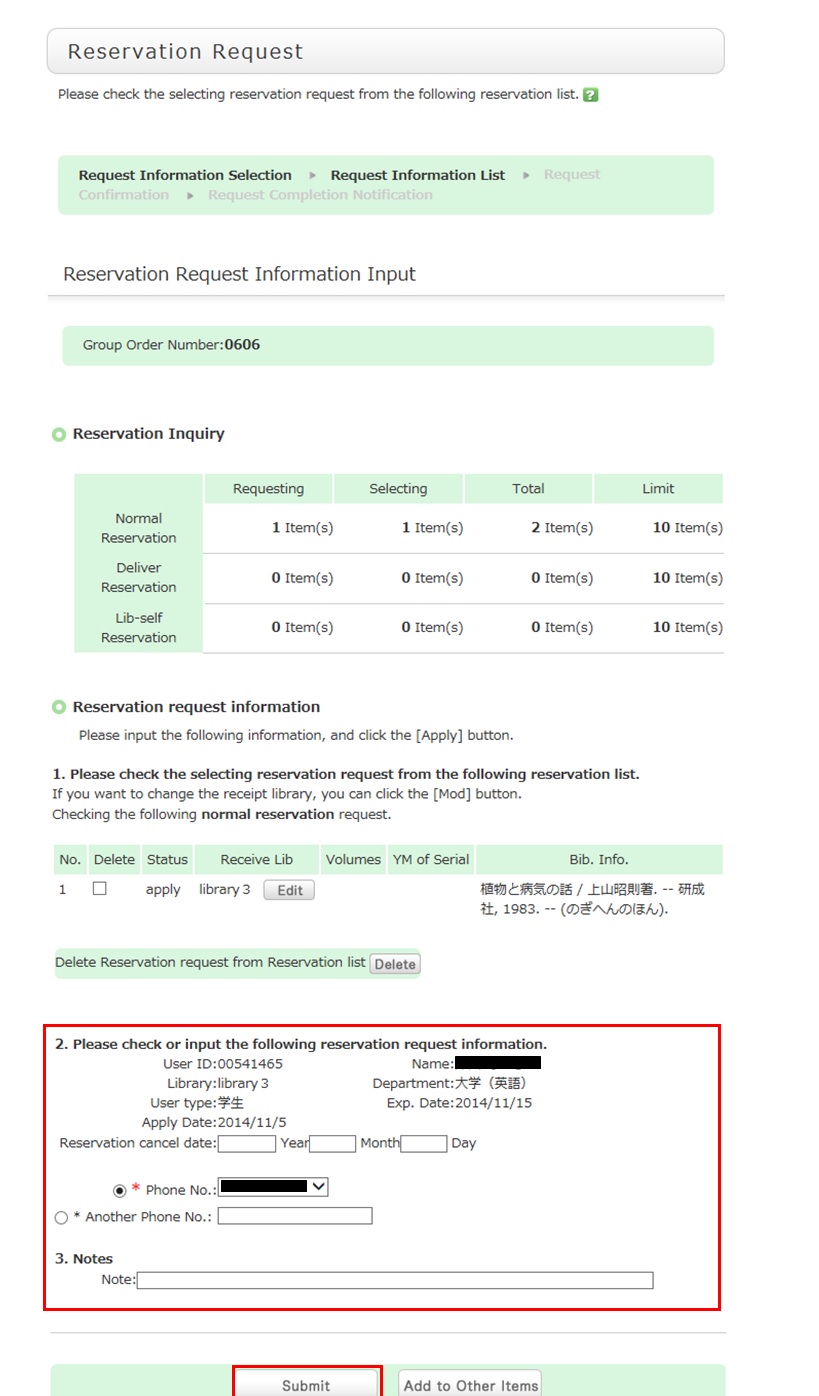
3. Confirm the material information and reservation client information on the request information entry screen. Then, enter (confirm) reservation details. Lastly, click the [Submit] button.
- Reservation cancel date: The reservation is canceled when the entered date has passed.
- E-mail: The library uses it to inform you when your reserved materials are available for check-out. To be contacted at a different e-mail address, fill in the "Change E-mail" field.
4. Confirm your reservation request details on the request confirmation screen, and then click the [Confirm] button.
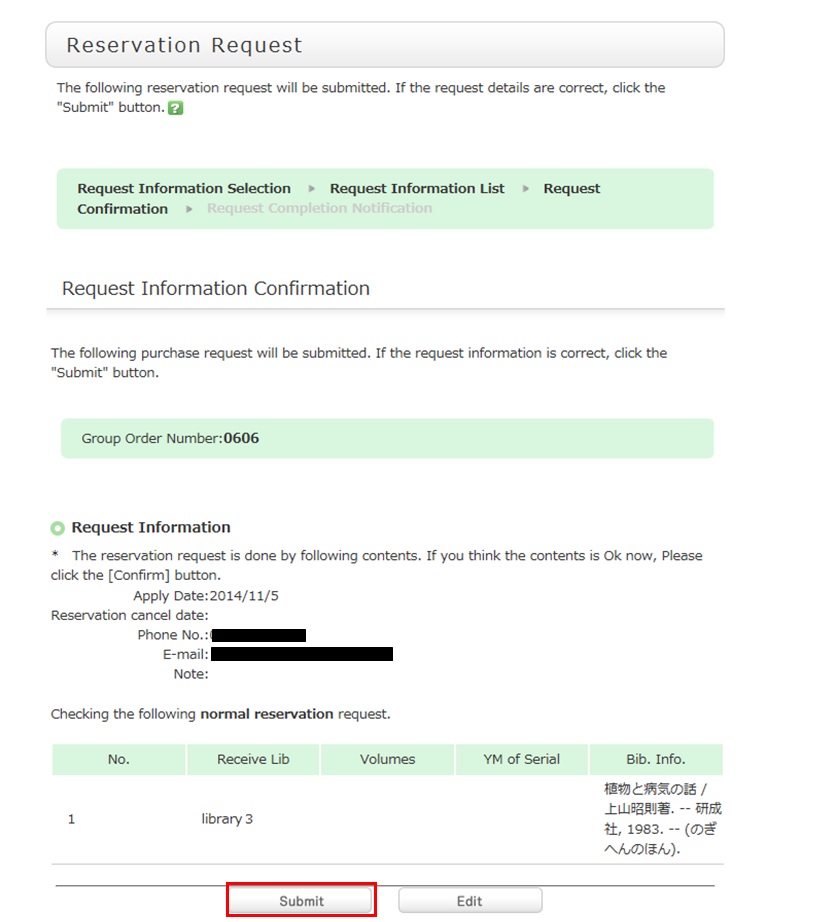
5. The reservation is complete when the request completion notification screen appears.
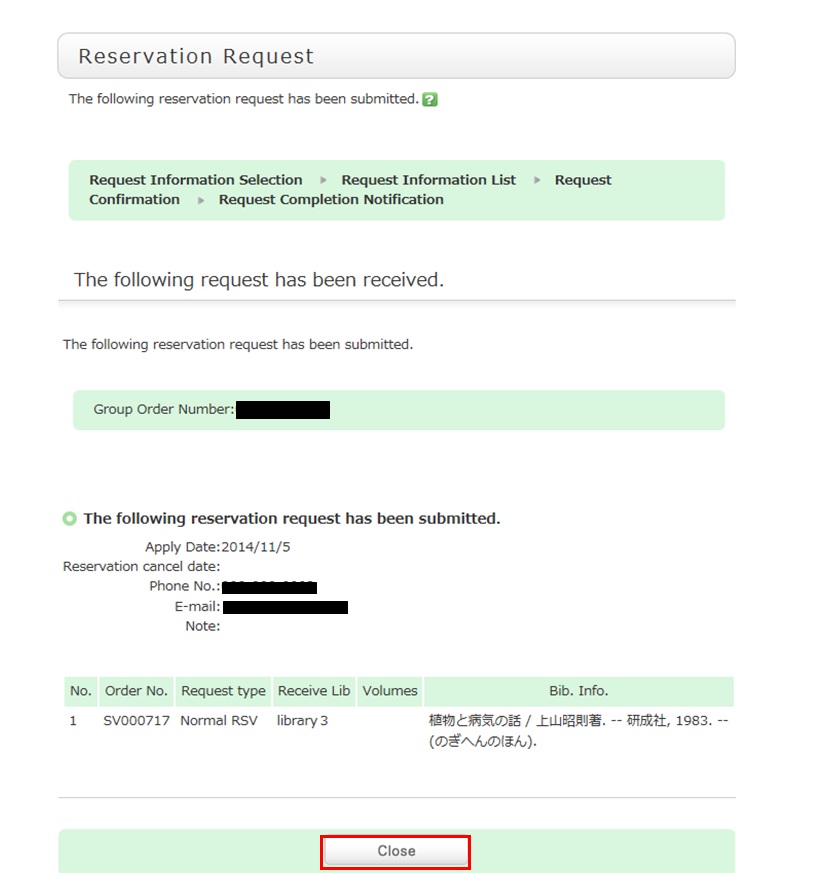
* Reserved materials are on hold for a period of time.
If you do not borrow the materials within this period, the reservation is canceled. So when the library contacts you about the arrival of your reserved materials, visit the library as soon as possible and complete the procedure for borrowing.
Opening Hours
| 日 | 月 | 火 | 水 | 木 | 金 | 土 |
29 | 30 | 31 | 1 | 2 | 3 | 4 |
5 | 6 | 7 | 8 | 9 | 10 | 11 |
12 | 13 | 14 | 15 | 16 | 17 | 18 |
19 | 20 | 21 | 22 | 23 | 24 | 25 |
26 | 27 | 28 | 29 | 30 | 1 | 2 |


Access from Cellular Phone