 国際教養大学公式サイト
FAQ
FAQ(English)
★What do I do when I don't find the materials I'm looking for on the [Bib Search] tab? (Part 2)
1. Search the holdings of other university libraries, and apply to get the book or a copy (ILL copy request and ILL borrowing request) from the relevant library.
→ Perform the search from the [Other Univ.] tab.
2. Search the holdings of Akita Prefectual library and university libraries, and request borrowing.
→ Perform the search from the [Akita Pref Lib.] tab by selecting a neighborhood public library, university library, etc.
3. Request purchase from user service.
* Getting a book or inter-library loan from a library or other such other organization takes time. Due to a variety of reasons, it may also be impossible to get materials from libraries. For details, consult the library staff.
What do I do when I want to extend the borrowing period of a loaned out book?
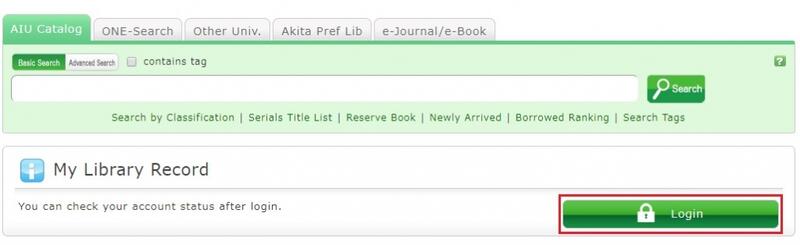
1. First, log in to OPAC.
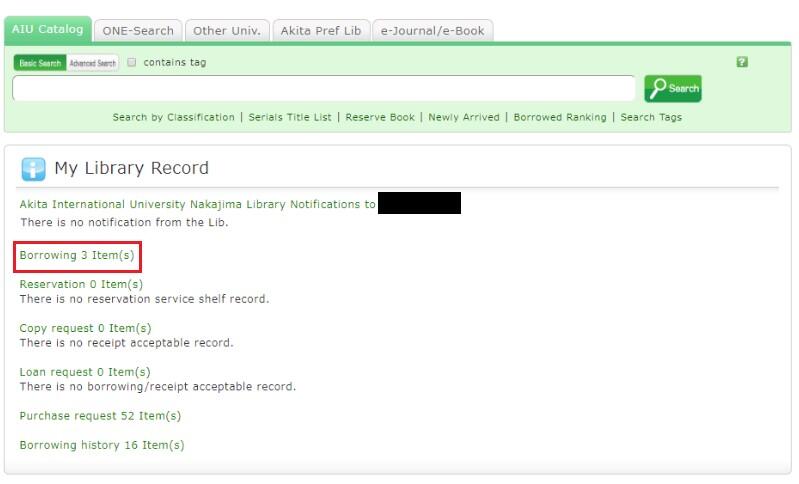
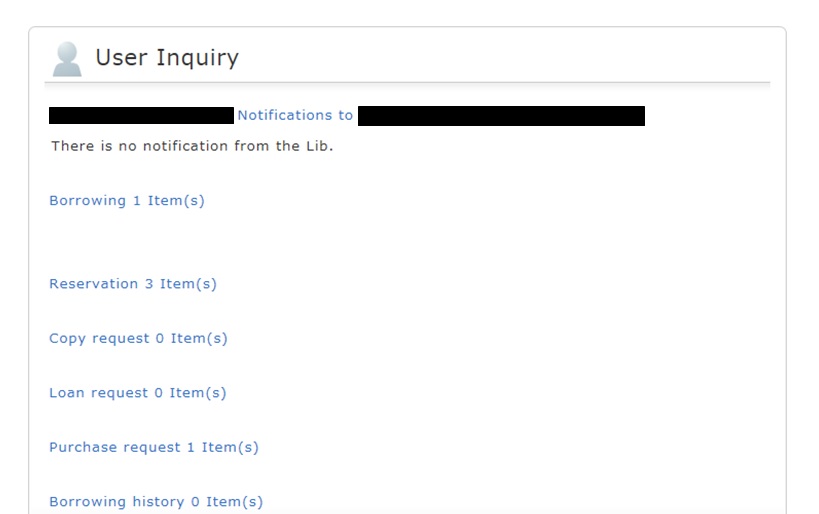
2. "User Inquiry" appears after login. Click "Borrowing" there.
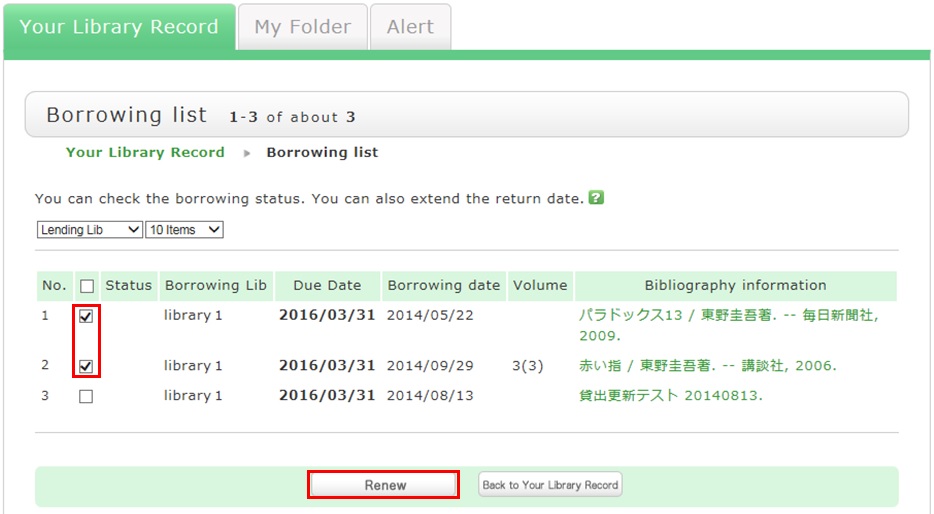
3. "Borrowing list" appears. Place a check mark beside each material you want to renew, and click [Renew].
In "Borrowing list," you can check the borrowing status: where (borrowing library), what (bibliography information), and when (Due Date).
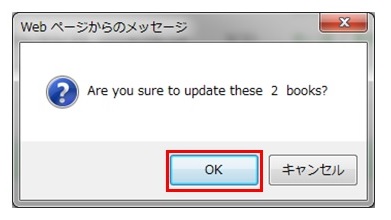
4. Click [OK] in the pop-up.
5. The update is completed when the return date is extended.
If the update cannot be completed, the screen displays this fact and the reason for it.
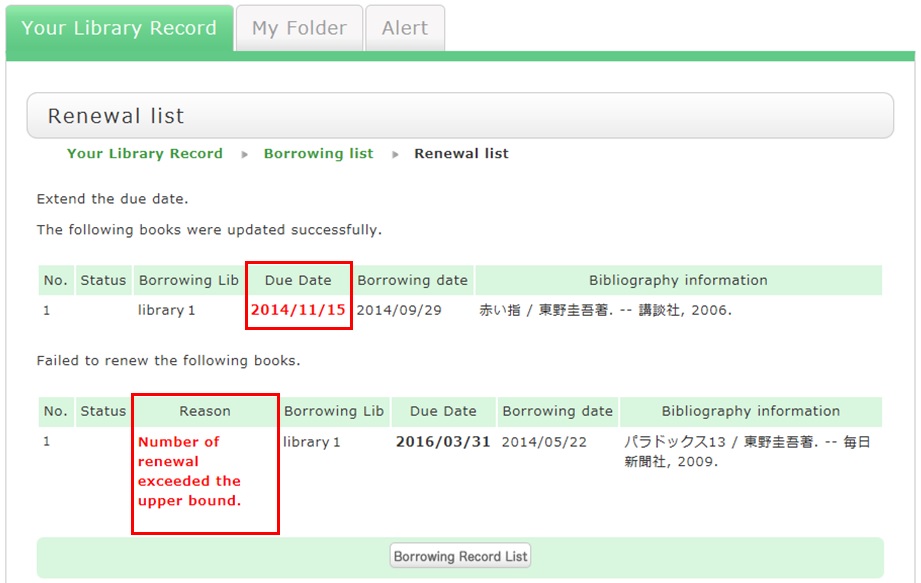
From "Borrowing list", you can check the number of renewals by clicking "Bibliography information" for loaned out materials.
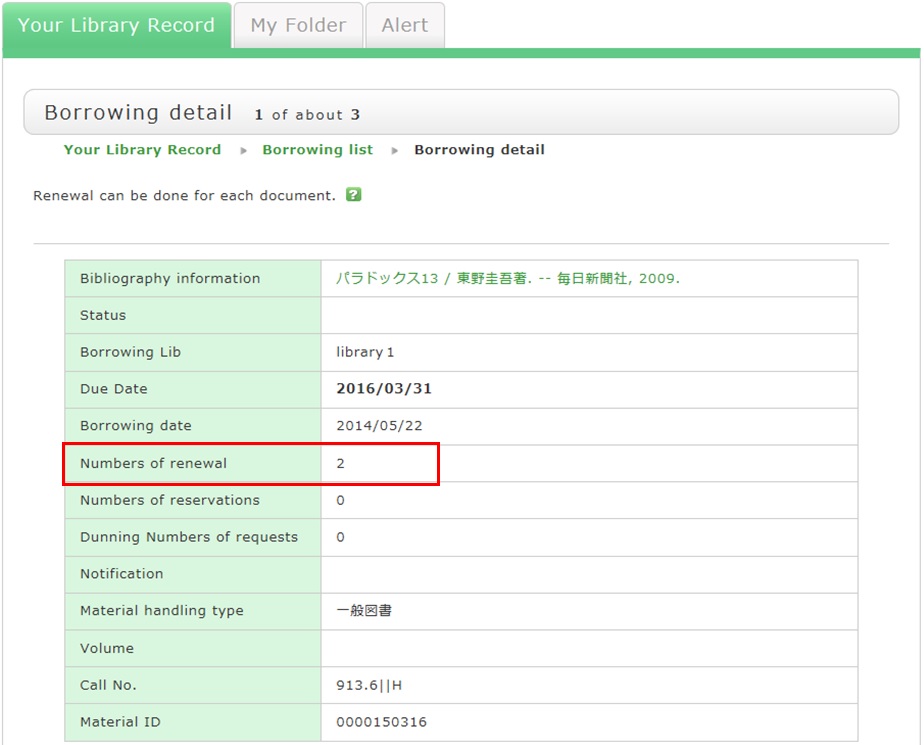
Note the following points concerning renewal.
- An online renewal is updated on the day that the update process is executed. Note that the borrowing period is not an added period from the due date.
- Renewal is not possible in the following cases:
- Materials already reserved by another user
- Overdue materials and materials in a restricted borrowing period
- Where update may not be possible depending on the material type (textbooks, serials, etc.)
How do I cancel a reservation?
1. Log in to OPAC.
2. Click "Reservation" from User Inquiry.
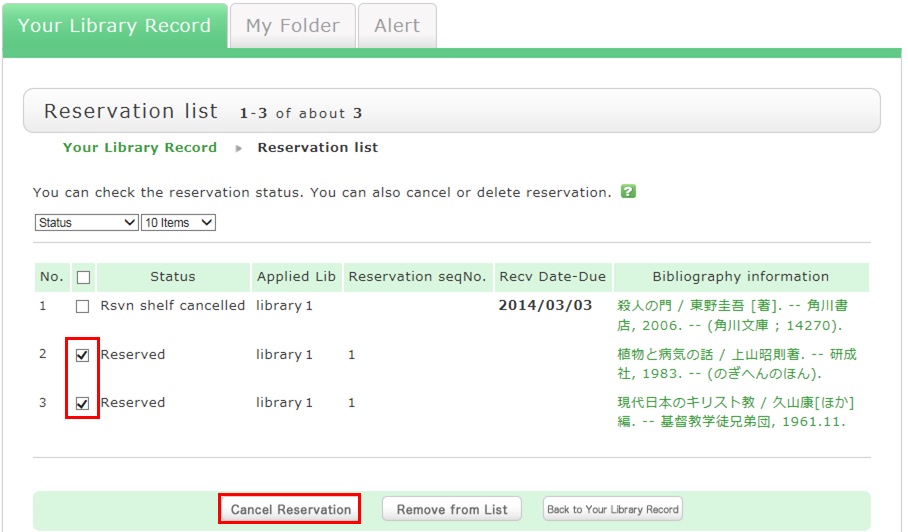
3. The reservation list screen appears. Place a check mark beside the material whose reservation you want to cancel, and click [Cancel Reservation].
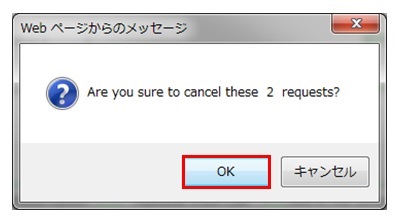
4. Click [OK] in the pop-up.
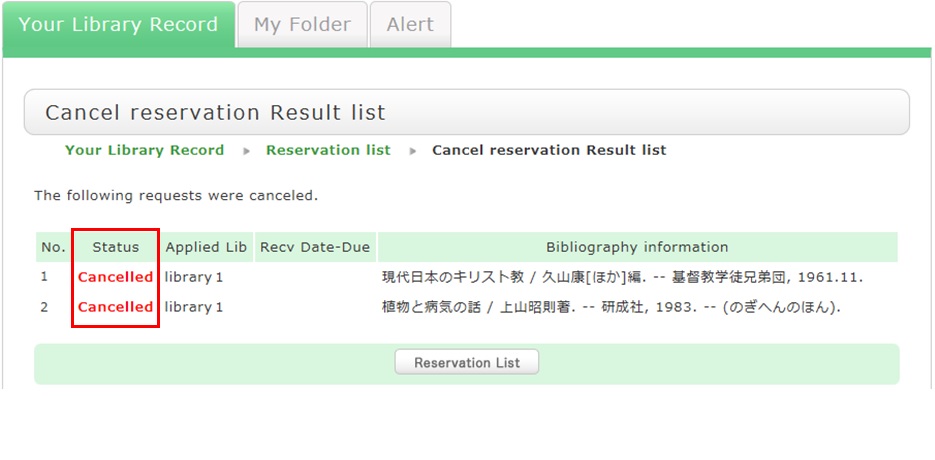
5. "Canceled" appears under Status upon the completion of the reservation cancellation.
★What happens when materials become overdue or have borrowing restrictions?
Be sure to return all materials within their borrowing period.
[Notice]
- Libraries/rooms have book drops. Any materials returned after hours to the book drop of a library are basically considered returned on the previous business day with the return processed on the next business day.
- Regisitration and certification services may be suspended for long overdue accounts.
How do I import book information from [AIU Catalog] to RefWorks?
- You can import book information from OPAC to RefWorks from the following screen.
- You can import book information directly (direct import) to RefWorks.
- Register as a new user only the first time.
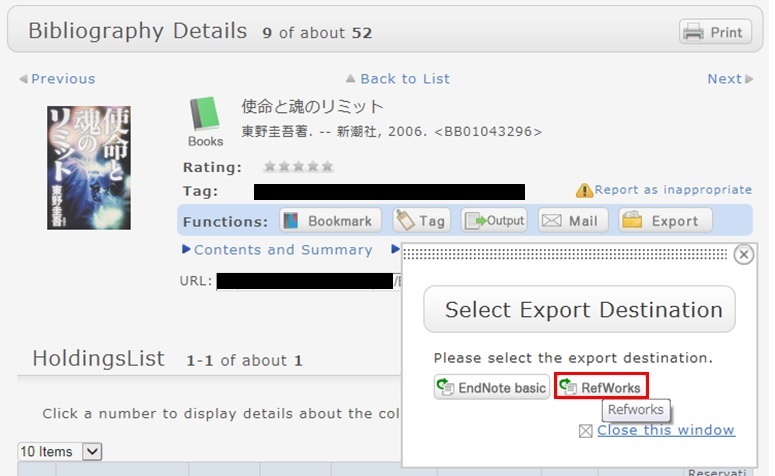
- Click "Book Management" on the bibliography search result list screen or bibliography details screen.
(The bibliography to be imported must be selected on the bibliography search result list screen.) - The "Select Export Destination" pop-up appears. Select "RefWorks."
- The selected bibliography is imported to RefWorks. (If you have not logged in yet, the login screen appears. In that case, enter your login name and password.)
Reference:
RefWorks (SUNMEDIA)
★I want to copy library materials. Does the library have any photocopiers inside?
カテゴリ:
9. Other
Please submit an application form to the counter. It costs 10 yen per a copy.
Long-term loan
カテゴリ:
9. Other
Note that the borrowing period cannot be extended for graduates and people outside the university.
Lost books
カテゴリ:
9. Other
In general, people who lose, damage, stain, or destroy library books are required to pay the replacement cost.
I want to borrow a book but forgot to bring my student card (library card).
カテゴリ:
9. Other
This policy prevents anyone impersonating you from borrowing books.
What if I can't find a book that hasn't been loaned out or I can't find an issue of a serial in the library's collection?
カテゴリ:
9. Other
- Someone else in the library is using the book or serial.
- The book is in the new arrival area.
- The book is so large that it is placed on the bottom shelf.
- Library clerks are processing the returned book or serial.
- The book or serial is currently being bound.
- The previous user did not return the book or serial to its proper location.
Opening Hours
| 日 | 月 | 火 | 水 | 木 | 金 | 土 |
29 | 30 | 31 | 1 | 2 | 3 | 4 |
5 | 6 | 7 | 8 | 9 | 10 | 11 |
12 | 13 | 14 | 15 | 16 | 17 | 18 |
19 | 20 | 21 | 22 | 23 | 24 | 25 |
26 | 27 | 28 | 29 | 30 | 1 | 2 |


Access from Cellular Phone