

 AIU Home

FAQ
How do I make an ILL borrowing request?
1. First, enter information on the materials you are looking for.
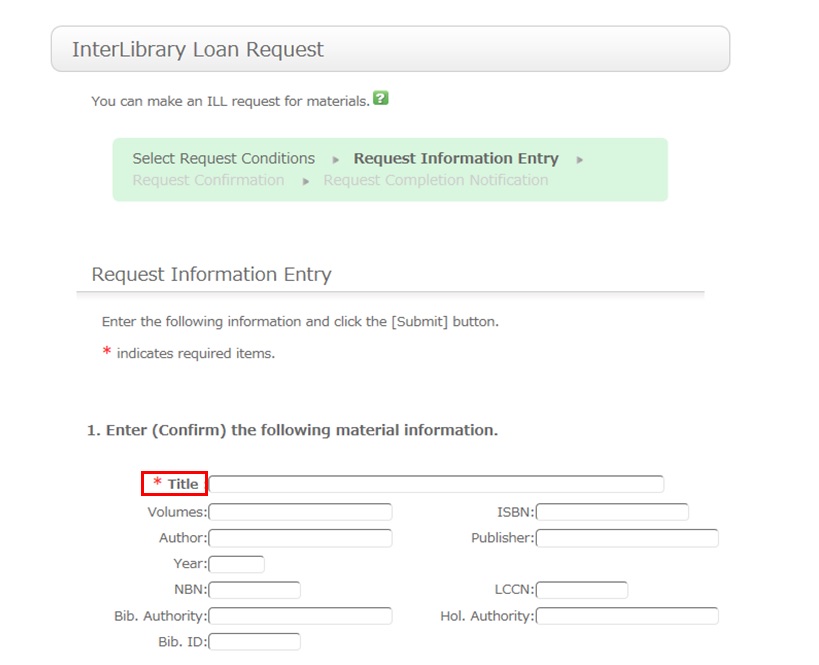
To be certain about obtaining those materials, enter as much detailed information as you can.
In particular, if you found them in a database or other such system, write the name of this system in the bibliography authority.
* Bold characters indicate required fields.
2. Next, enter your own information in the client information fields.
Note that if your contact information has an error, the materials cannot be promptly handed to you.
So be sure to enter the correct contact information for getting in touch with you.
3. Next, enter information about your request, information about the payment method, and remarks.
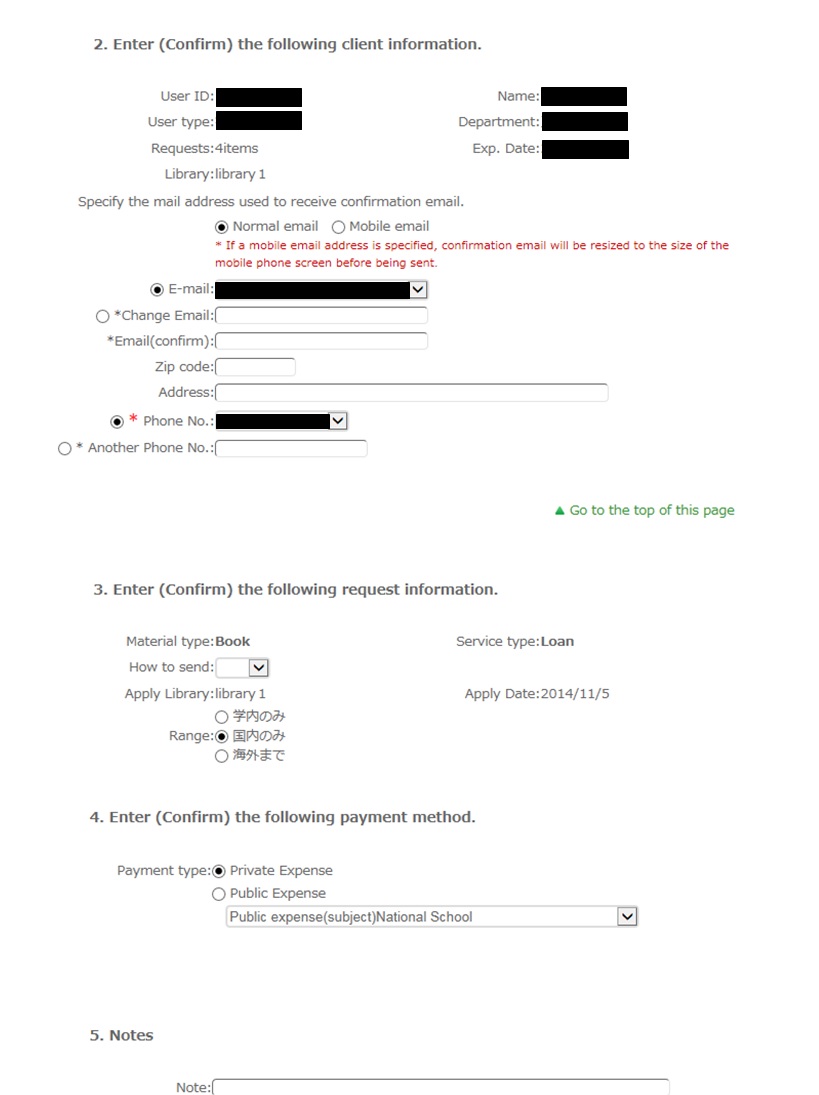
For the payment method, you can select private expense or public expense.
To apply for payment at public expense, you must have a public expense budget.
Once you have entered the above details, click the [Submit] button, and confirm the details on the confirmation screen.
When there are no problems, click the [OK] button to complete the procedure.
Site Search
User Service
Tools
- Google Scholar Setting Guide pdf
- Book request pdf
- Renewing books pdf
- Grammarly(英文校正ツール) pdf
- RefWorks ログイン
- RefWorks ユーザーガイド
- Wireless LAN on campus
Recommend Tags
- 2026 Recommended books by AIU Faculty for new students
- 2026 Career and Life
- Selected by GC faculty 2025
- Selected by GB faculty 2025
- Selected by ELT faculty 2025
- 2025 Diversity and Inclusion
- Selected by GS faculty 2025
- 2024 CHOICE Outstanding Academic Titles
- 2025 Your Best Books/AIU生おすすめの本展
- 2025 Study Abroad Fair