

 国際教養大学公式サイト


FAQ
How do I cancel a reservation?
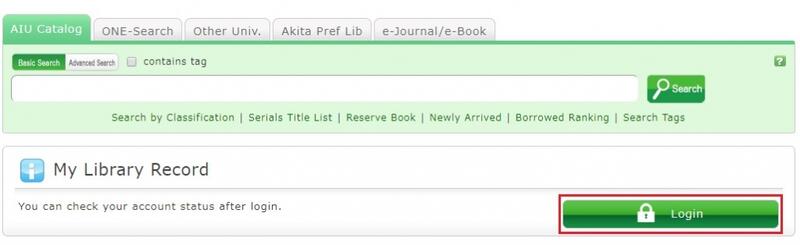
1. Log in to OPAC.
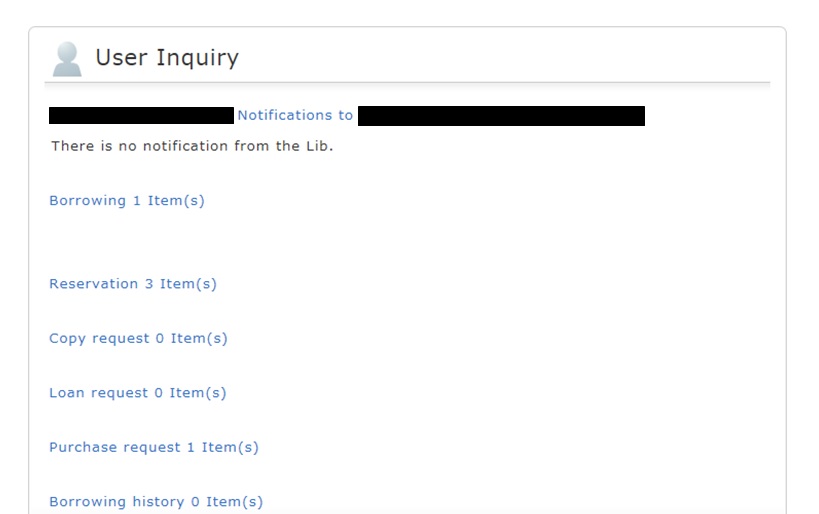
2. Click "Reservation" from User Inquiry.
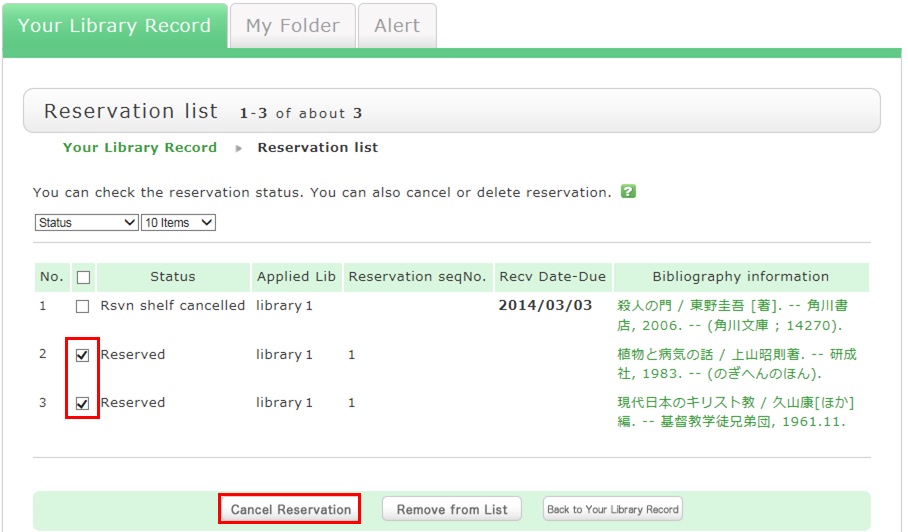
3. The reservation list screen appears. Place a check mark beside the material whose reservation you want to cancel, and click [Cancel Reservation].
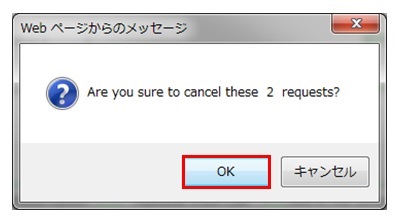
4. Click [OK] in the pop-up.
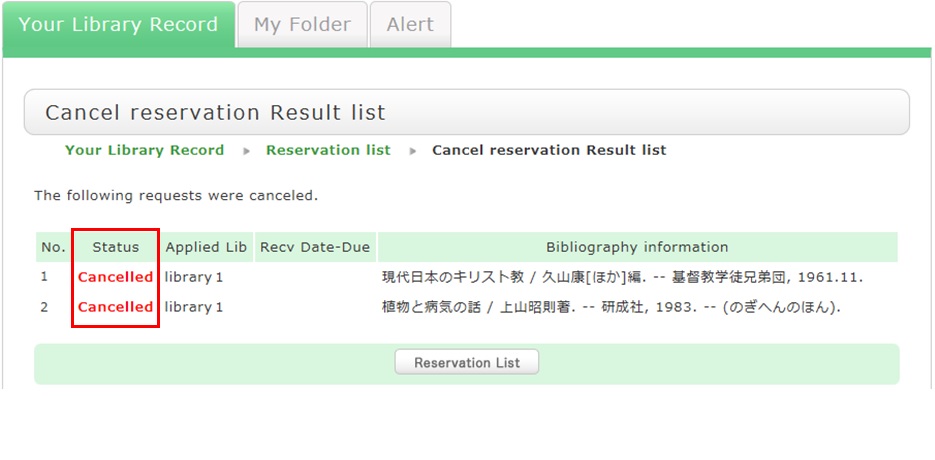
5. "Canceled" appears under Status upon the completion of the reservation cancellation.
サイト内検索
利用者サービス
お役立ちツール
- Google Scholar Setting Guide pdf
- Book request pdf
- Renewing books pdf
- Grammarly(英文校正ツール) pdf
- RefWorks ログイン
- RefWorks ユーザーガイド
- Wireless LAN on campus
おすすめのタグ
- 2026 Recommended books by AIU Faculty for new students
- 2026 Career and Life
- Selected by GC faculty 2025
- Selected by GB faculty 2025
- Selected by ELT faculty 2025
- 2025 Diversity and Inclusion
- Selected by GS faculty 2025
- 2024 CHOICE Outstanding Academic Titles
- 2025 Your Best Books/AIU生おすすめの本展
- 2025 Study Abroad Fair